We recommend you run and review these reports monthly.
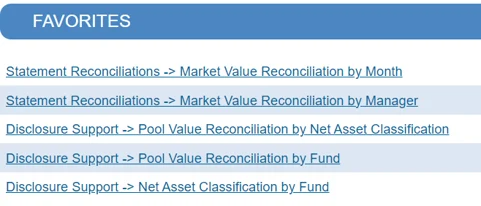
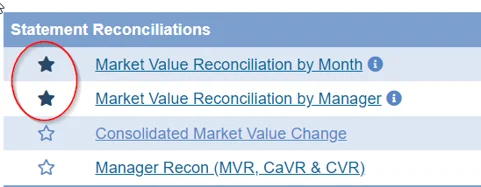
To mark them as "favorites" simply click the star icon.
These are just a few of the valuable reports available. We encourage you to explore further and run additional reports to gain even deeper insights.
How to Run Reports
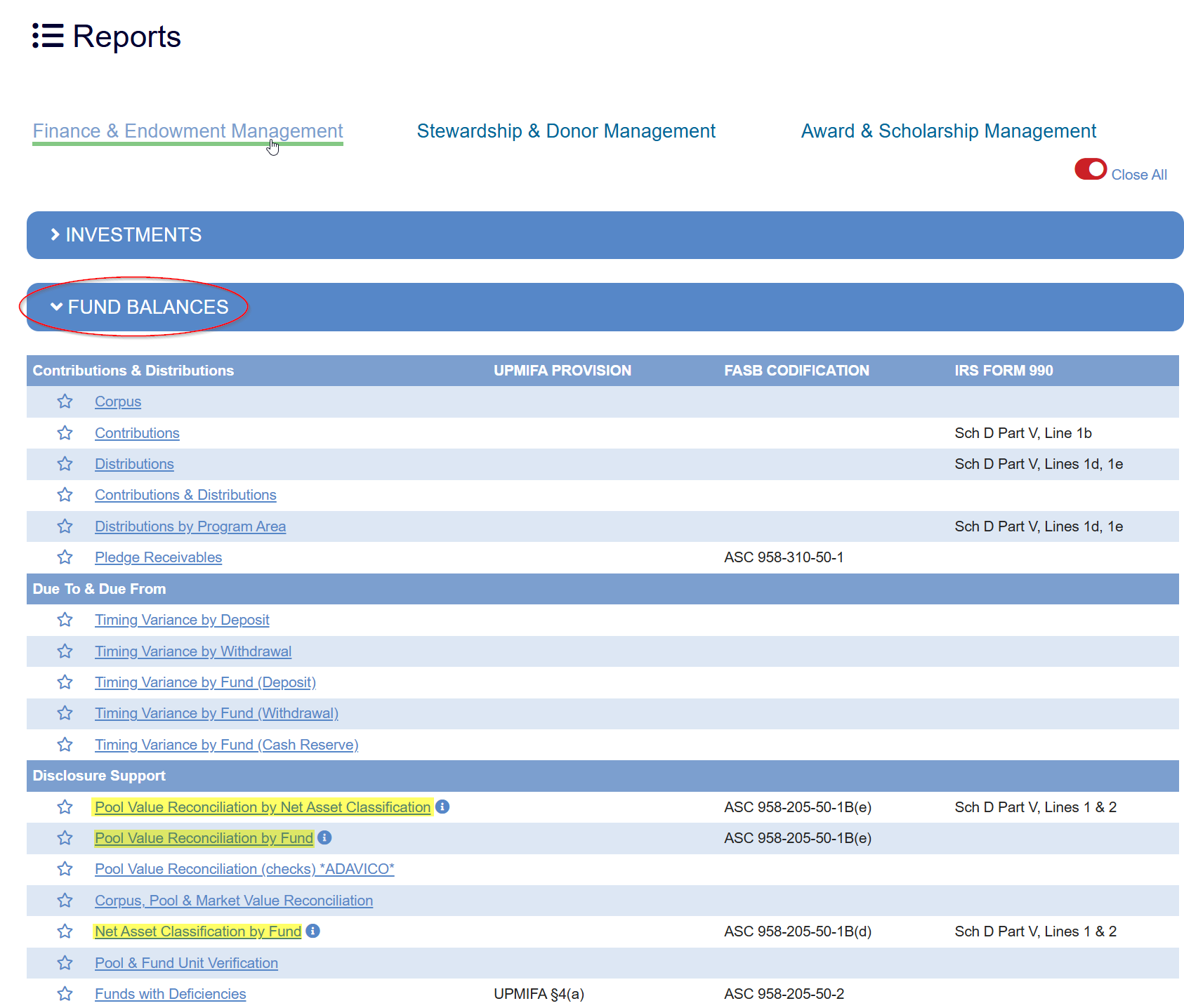
To access your most commonly used reports in the system, follow the instructions below. All reports are available under the Reports menu in Finance & Endowment Management.
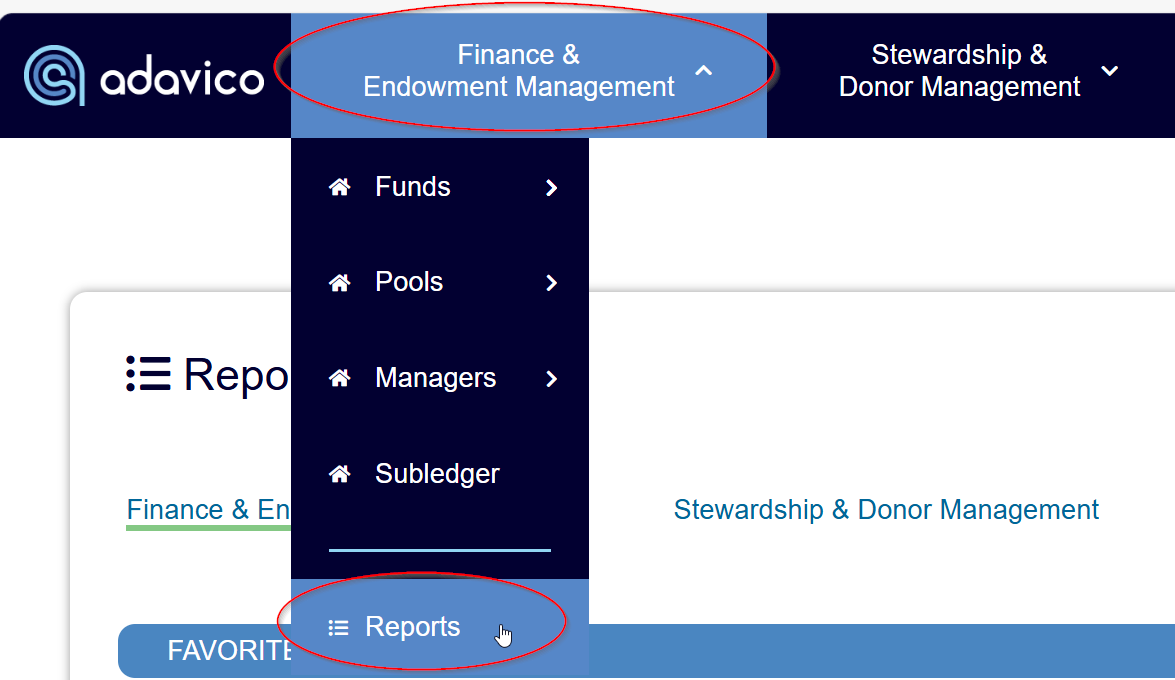
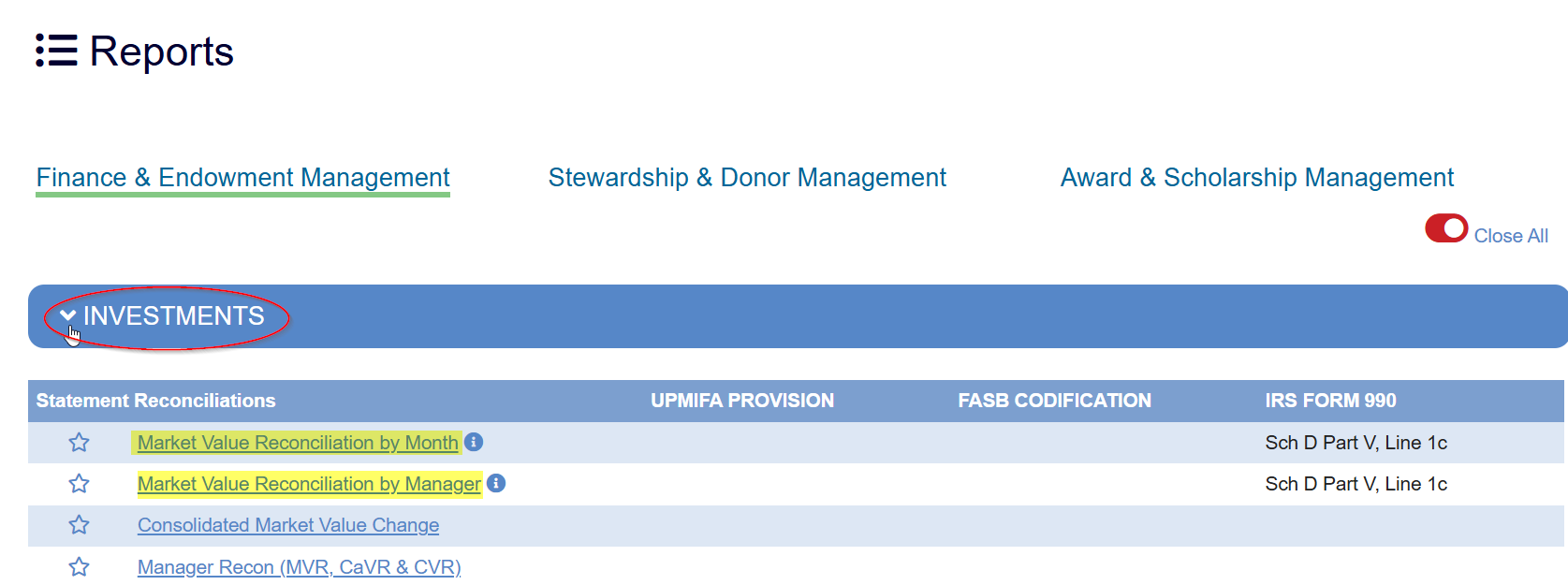
Go to Reports > Finance & Endowment Management > Investments > Statement Reconciliations to access the Market Value Reconcilation reports.
Go to Reports > Finance & Endowment Management > Fund Balances > Disclosure Support to access the Pool Value Reconciliation reports and the Net Asset Classification by Fund report.
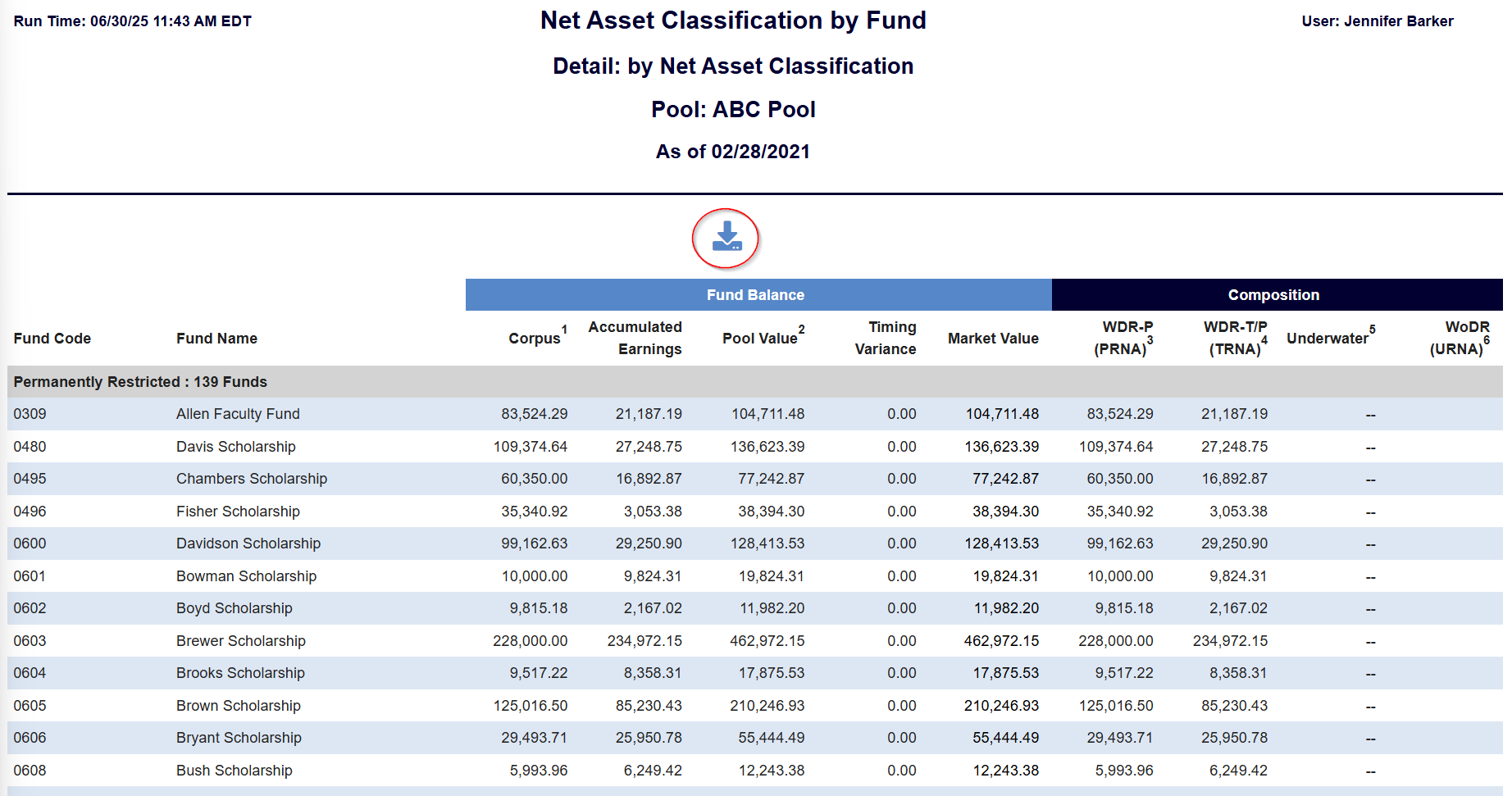
To download the reports after running, select the Download button.
Was this article helpful?
That’s Great!
Thank you for your feedback
Sorry! We couldn't be helpful
Thank you for your feedback
Feedback sent
We appreciate your effort and will try to fix the article