Adavico has introduced a new Gift Import Template to standardize import forms across all clients, ensuring consistency and streamlining customer support. (Template attached below)
Here are some guidelines to consider when completing the template:
Fund Code – Fund receiving the gift within the Pool (must agree with the existing fund codes in the Adavico)
Gift Type – Enter 1 of these three gift types:
- Gift – use this Type to record only the first gift made to establish an endowment fund
- Contribution - use this Type for subsequent contributions/gifts to an existing fund (after the first gift has been posted)
- Pledge Payment – use this Type for payments made against outstanding pledges. Please note the pledge receivable must already be in Adavico
Manager – Investment account to which the gift is made - typically this is "Due To/From"
Gift Date - Date the gift is recorded in your organization’s general ledger (this will not be used in the purchasing of units)
Deposit Date – Date the funds are wired/deposited into investments custodian/bank (this date will be used for purchasing new units)
Pledge Identifier – When applying pledge payments, the import file will require you to show the pledge receivable identification code in Adavico. The pledge identifier is the code for the associated pledge receivable.
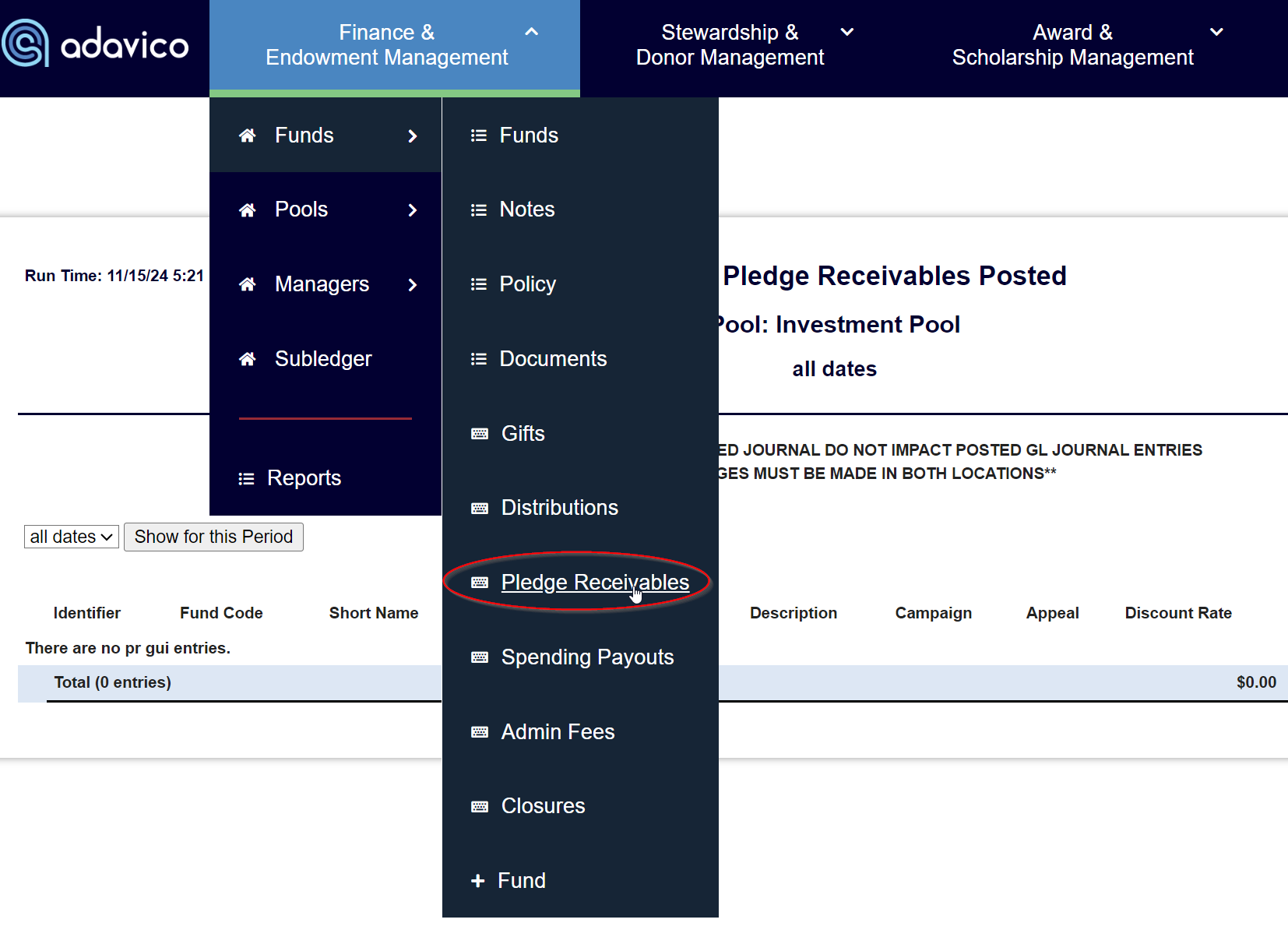
The pledge identification code is located here:
Finance & Endowment Management>Funds>Pledge Receivables.
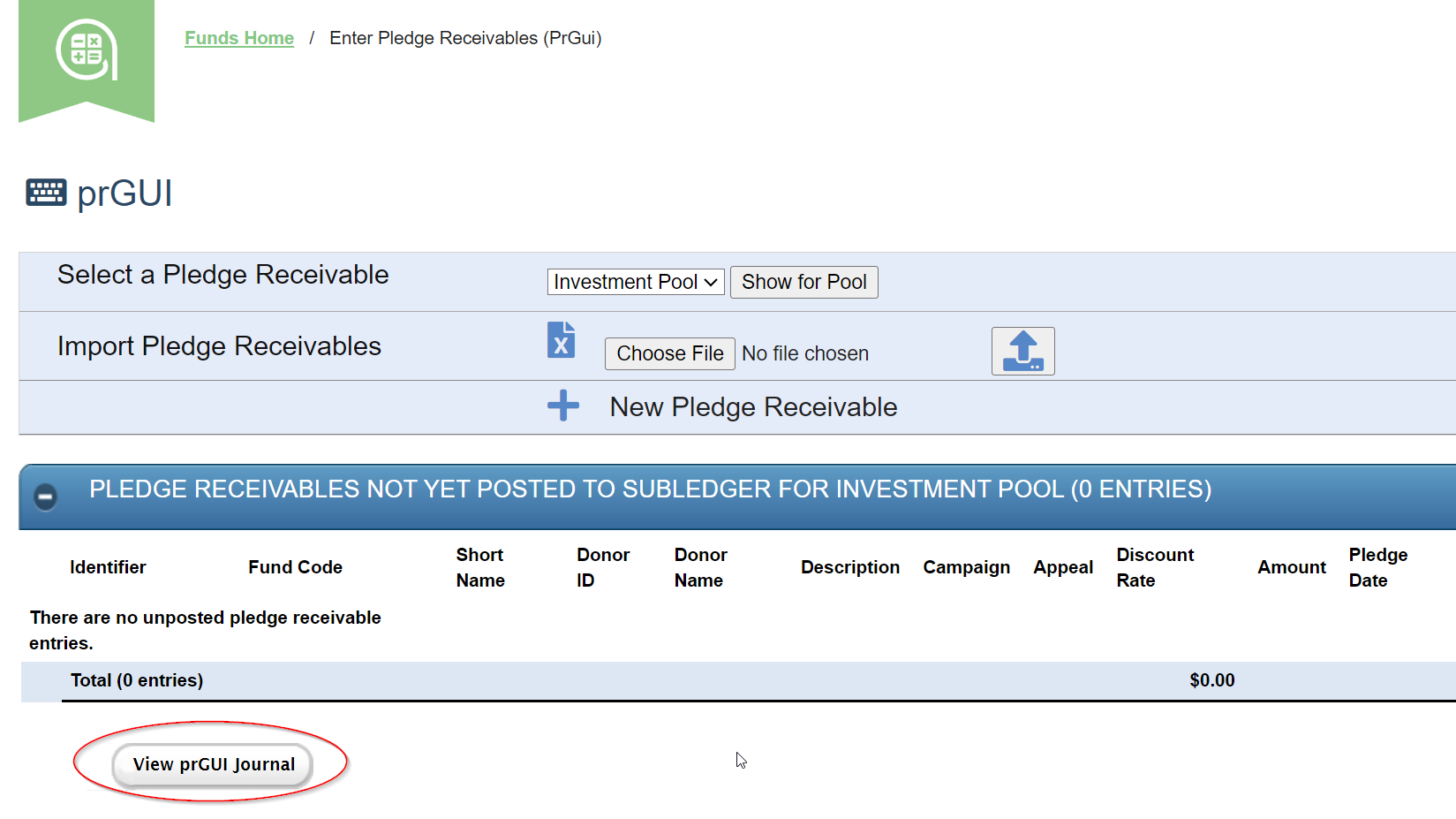
Select View prGUI Journal to drill in to see all pledges posted.
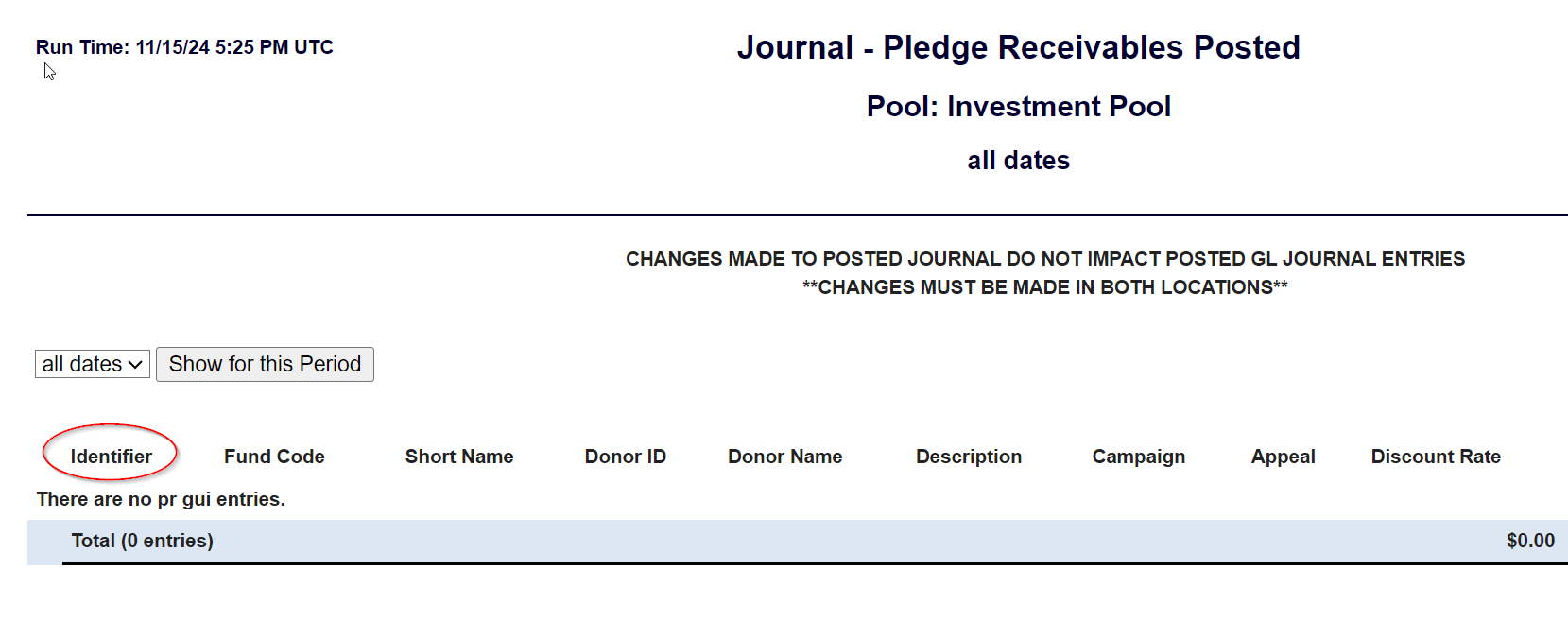
From the prGUI view, locate the correct pledge and use the Identifier code to link the pledge payment to the pledge.
Was this article helpful?
That’s Great!
Thank you for your feedback
Sorry! We couldn't be helpful
Thank you for your feedback
Feedback sent
We appreciate your effort and will try to fix the article