If you need year-end tax records for your donors, ADAVICO provides two options:
- Contribution Summary Letters (letter format)
- Contribution Summary Report (report format)
Both options can be accessed by navigating to:
Stewardship & Donor Management → Reports → Donor Management
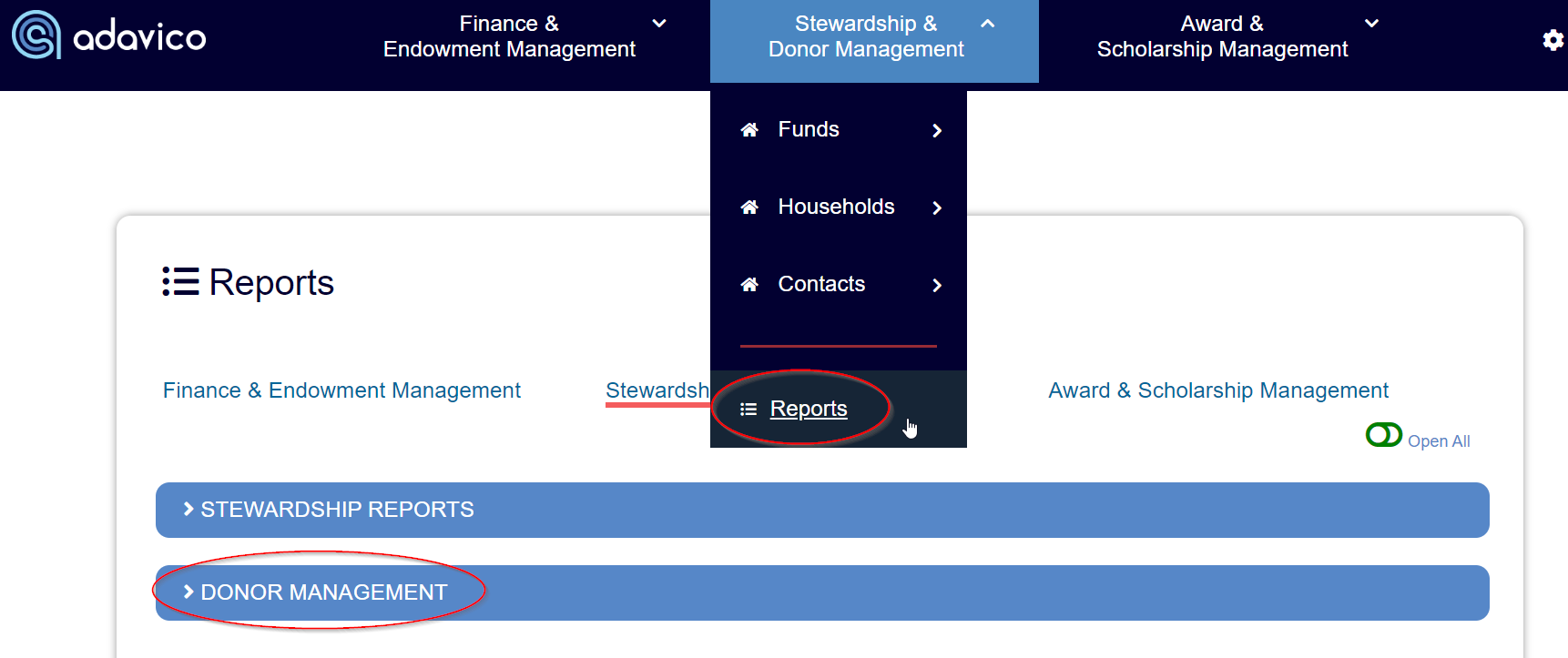
You have two ways to run these reports:
- Single Fund Reports: Ideal for generating one-off reports for a specific fund.
- "All by Contact" Reports: Designed to capture all donor contributions across your organization.
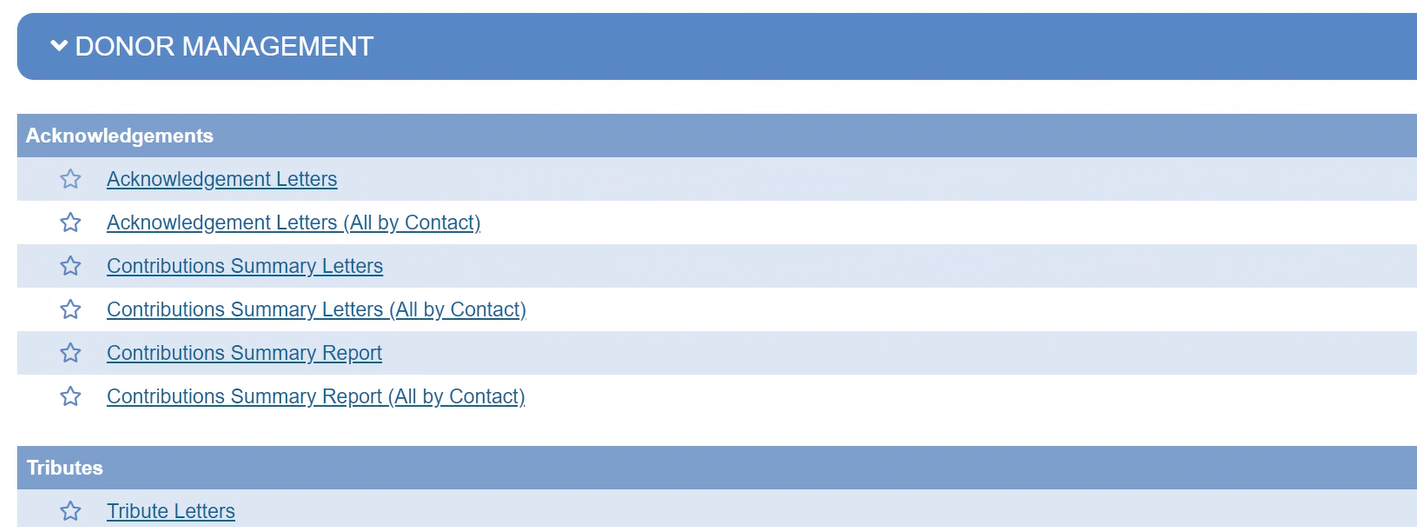
To run the report for All Contacts:
- Select All Pools and click Next.
- Enter your desired date range (e.g., 01/01/2024 to 12/31/2024) to capture the full 2024 year, then click Next.
- Once the report is generated, you can print the letters directly from your web browser as a PDF or send them to your printer.
Report Customization:
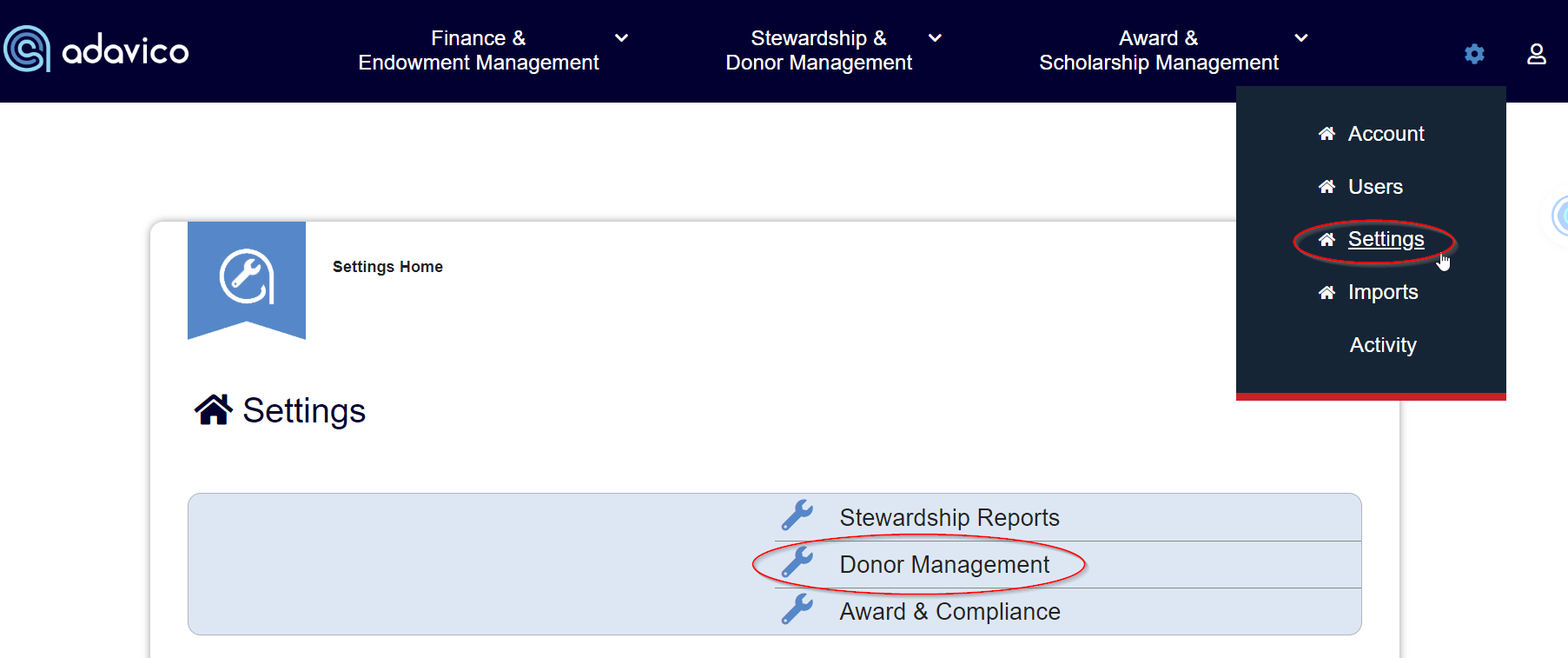
Adavico also allows you to customize the wording of the Contribution Letter. This can be done by navigating to:
Settings → Settings → Donor Management → Donor Management Templates section.
Was this article helpful?
That’s Great!
Thank you for your feedback
Sorry! We couldn't be helpful
Thank you for your feedback
Feedback sent
We appreciate your effort and will try to fix the article