To add a new contact for donor reporting:
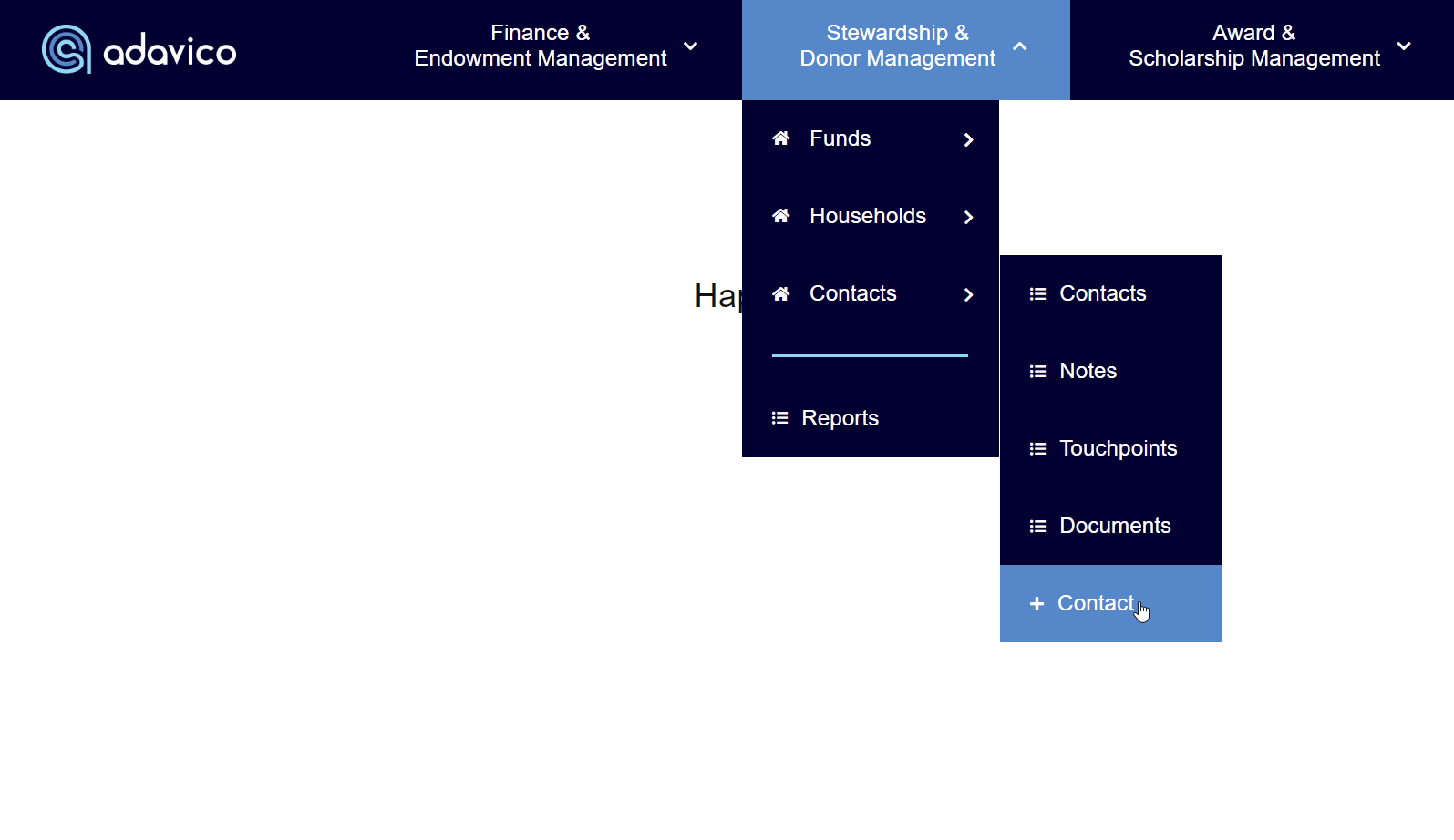
Navigate to Stewardship & Donor Management → Contacts.
Select + Contact.
Required Fields
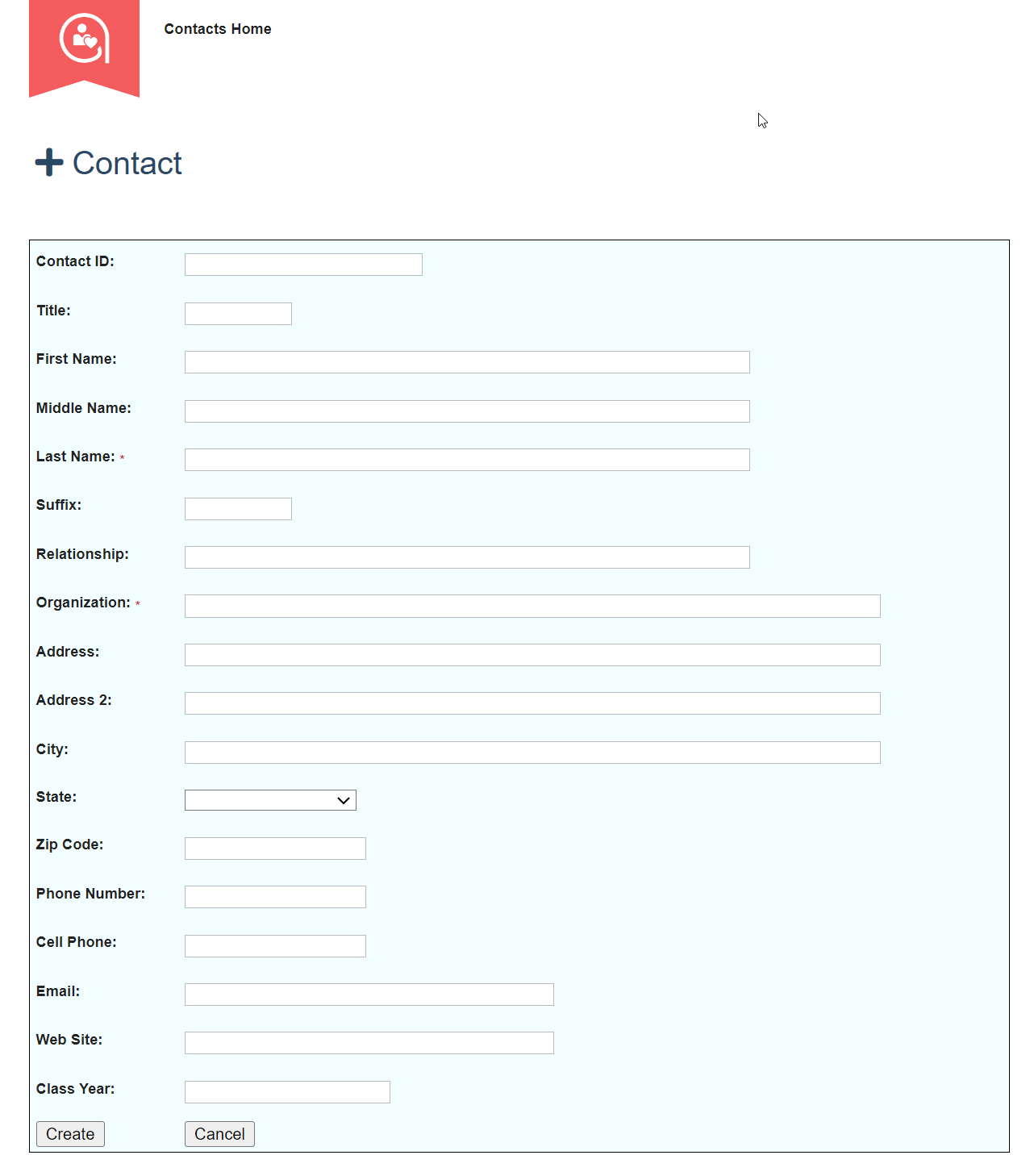
Populate all fields marked with an asterisk (*).
If you are using your own Contact ID (Donor ID from your system of record), enter it in the Contact ID field.
If the Contact ID field is left blank, the system will assign the next available ID automatically.
Once all required information is entered, select Create to save the new contact.
Important Notes
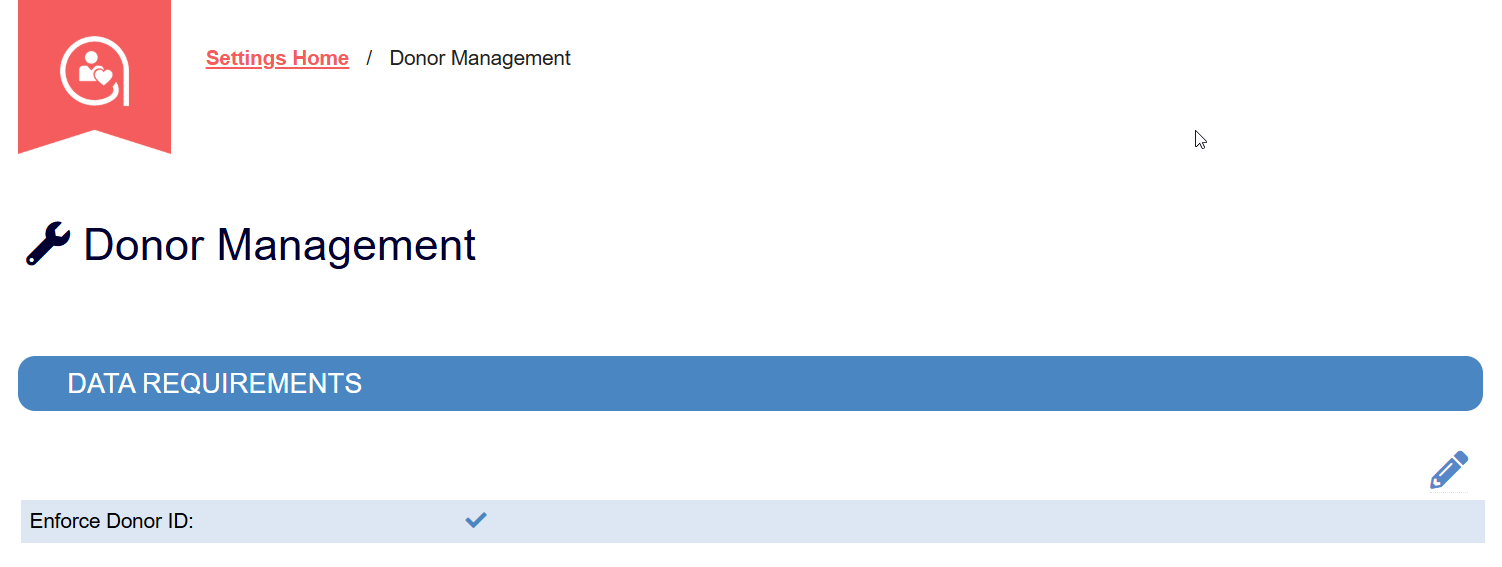
Check your organization’s settings to confirm whether Enforce Donor ID is enabled.
If enabled, you must populate the Contact ID field.
If not enabled, the system will generate the Contact ID if one is not provided.
Was this article helpful?
That’s Great!
Thank you for your feedback
Sorry! We couldn't be helpful
Thank you for your feedback
Feedback sent
We appreciate your effort and will try to fix the article