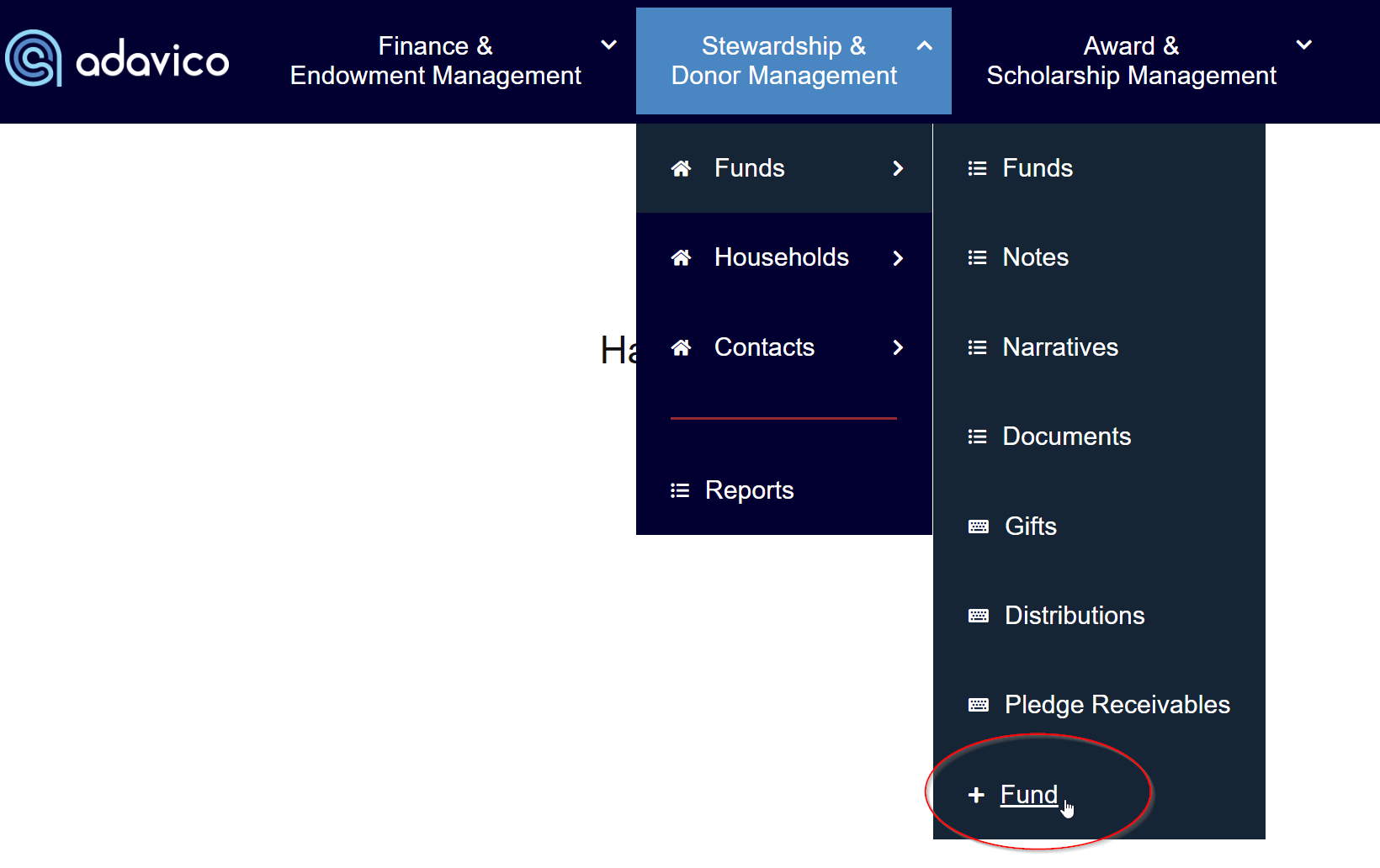
If you are using our Donor Management module and you need to add a new fund, select + Fund under the Stewardship & Donor Management / Funds menu.
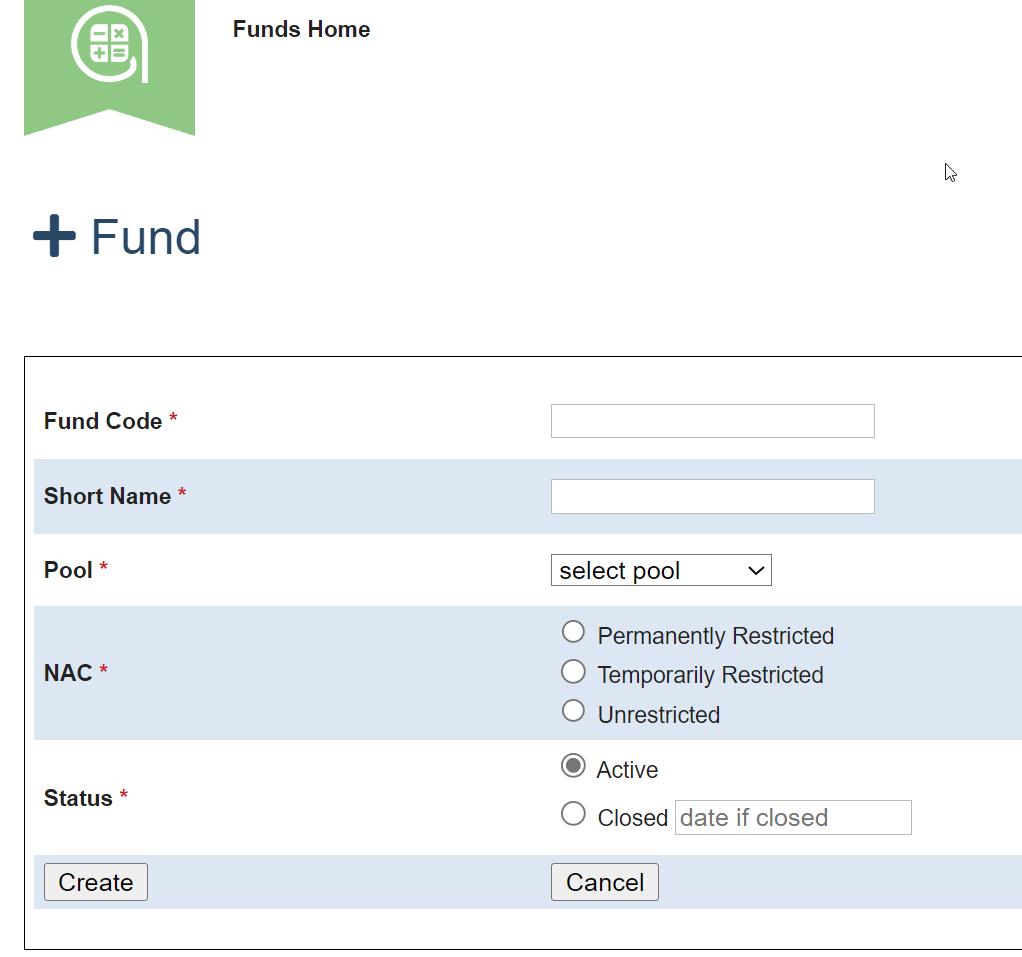
These are the minimum fields needed to set up a fund.
Populate the fields and select Create.
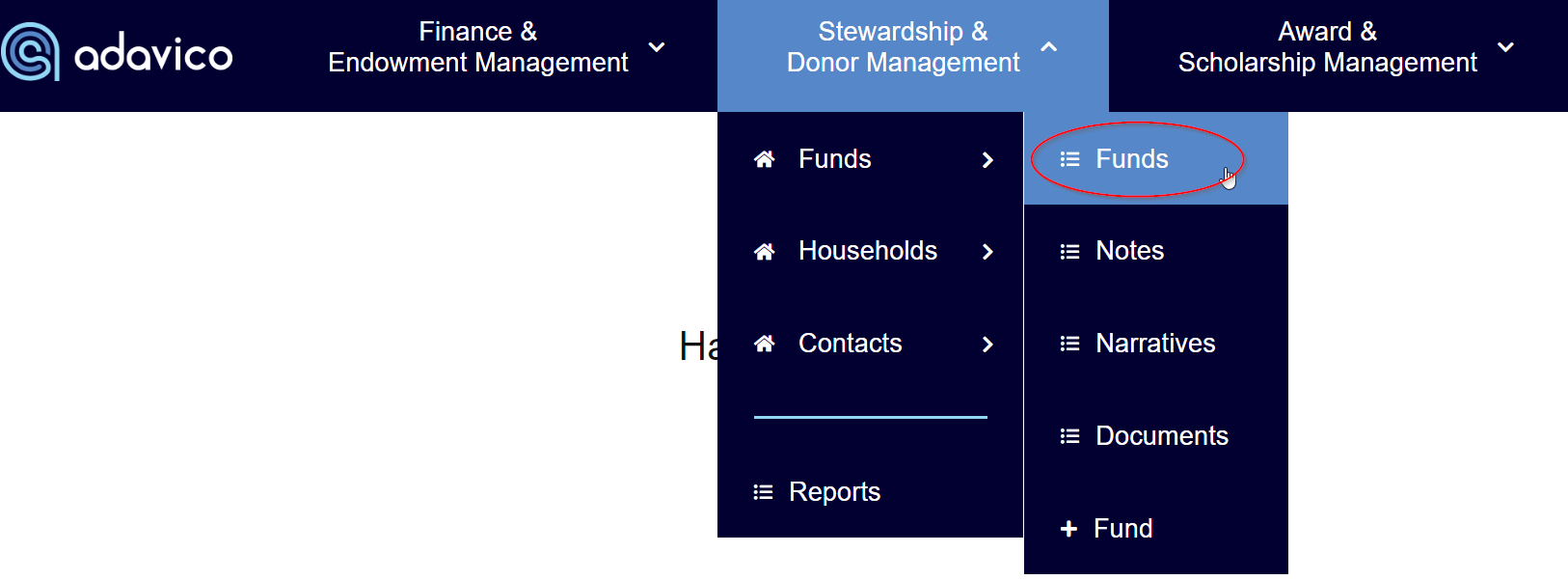
Many clients utilize other Fund Profile fields in addition to the required fields above. To add additional details, go to the Funds list under the Stewardship & Donor Management / Funds menu.
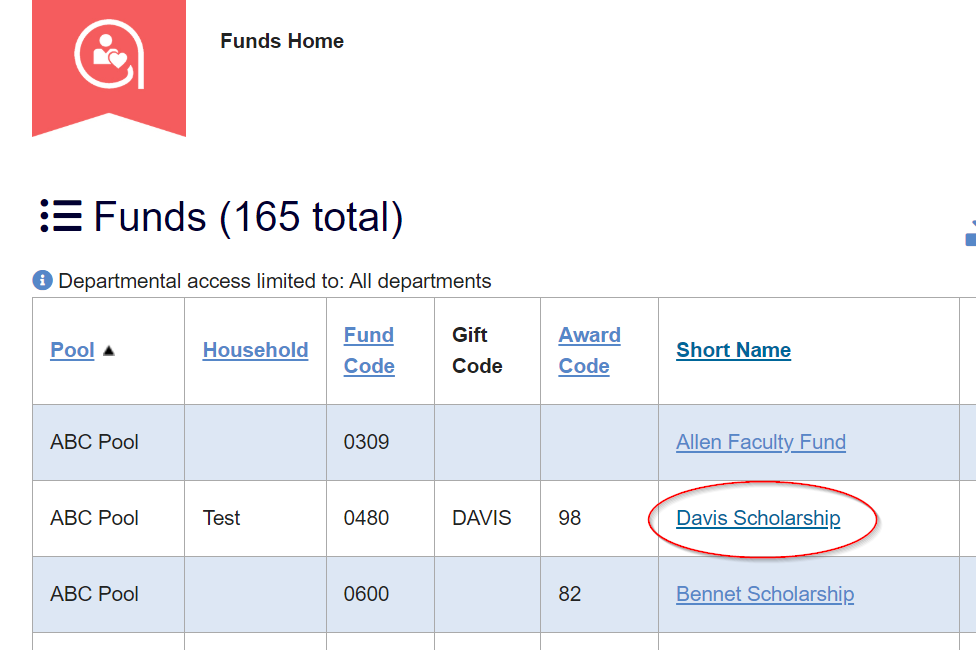
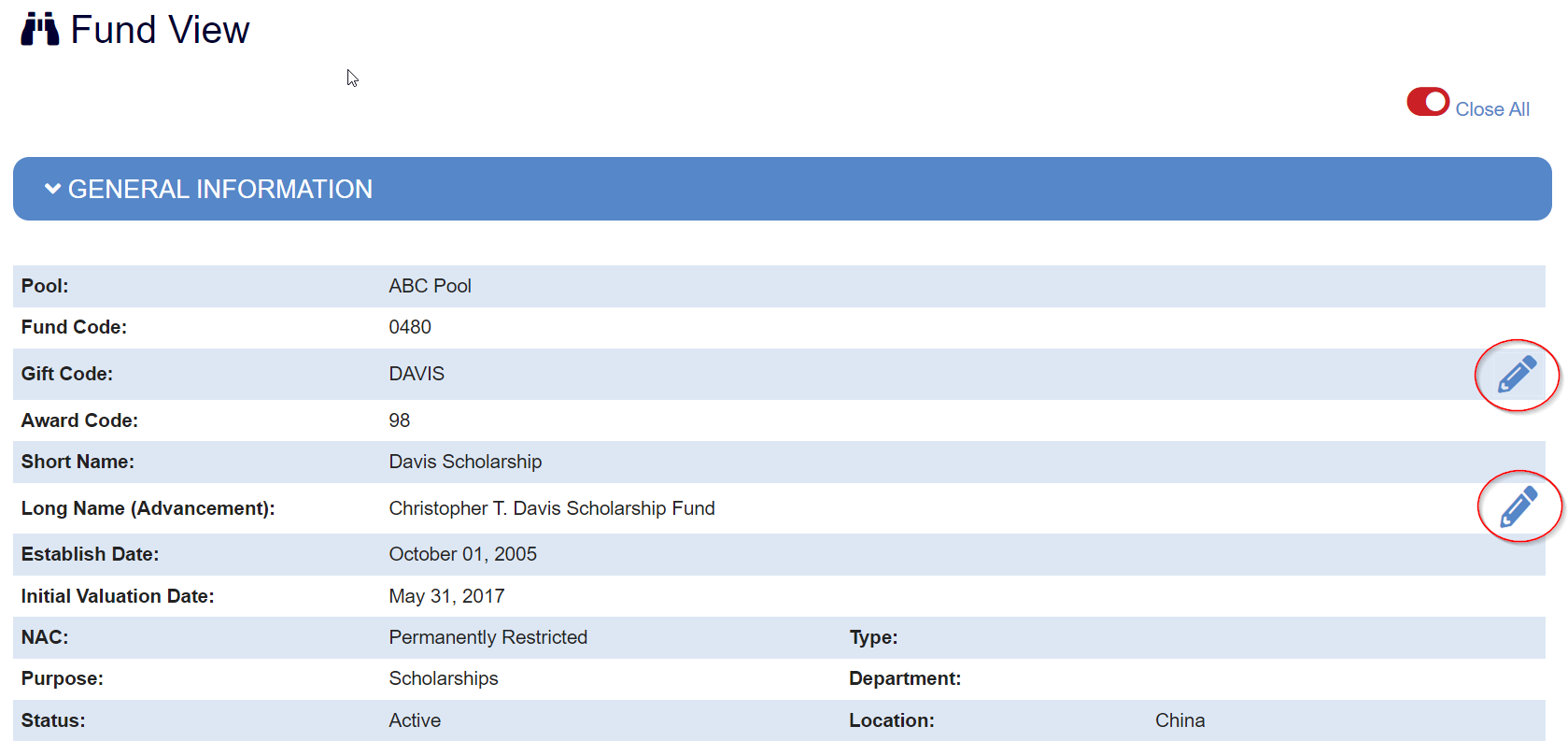
To Edit fields in a fund, Select the Fund that you wish to edit.
If you have the ability to edit fields, an edit pencil button will appear next to what you can edit. If you need to add additional fields that you do not have access to edit, reach out to your Finance department for assistance.
Was this article helpful?
That’s Great!
Thank you for your feedback
Sorry! We couldn't be helpful
Thank you for your feedback
Feedback sent
We appreciate your effort and will try to fix the article