ADAVICO allows users to edit gifts under certain conditions. Recent enhancements have improved flexibility while ensuring data integrity. Below are the guidelines for editing gifts, including which fields can be updated and how to access gift records.
Editing Gifts Before Posting to the Subledger
Powerusers and Superusers can edit or delete gifts that have not yet been posted to the subledger.
All fields are available for editing at this stage.
Editing Gifts After Posting to the Subledger
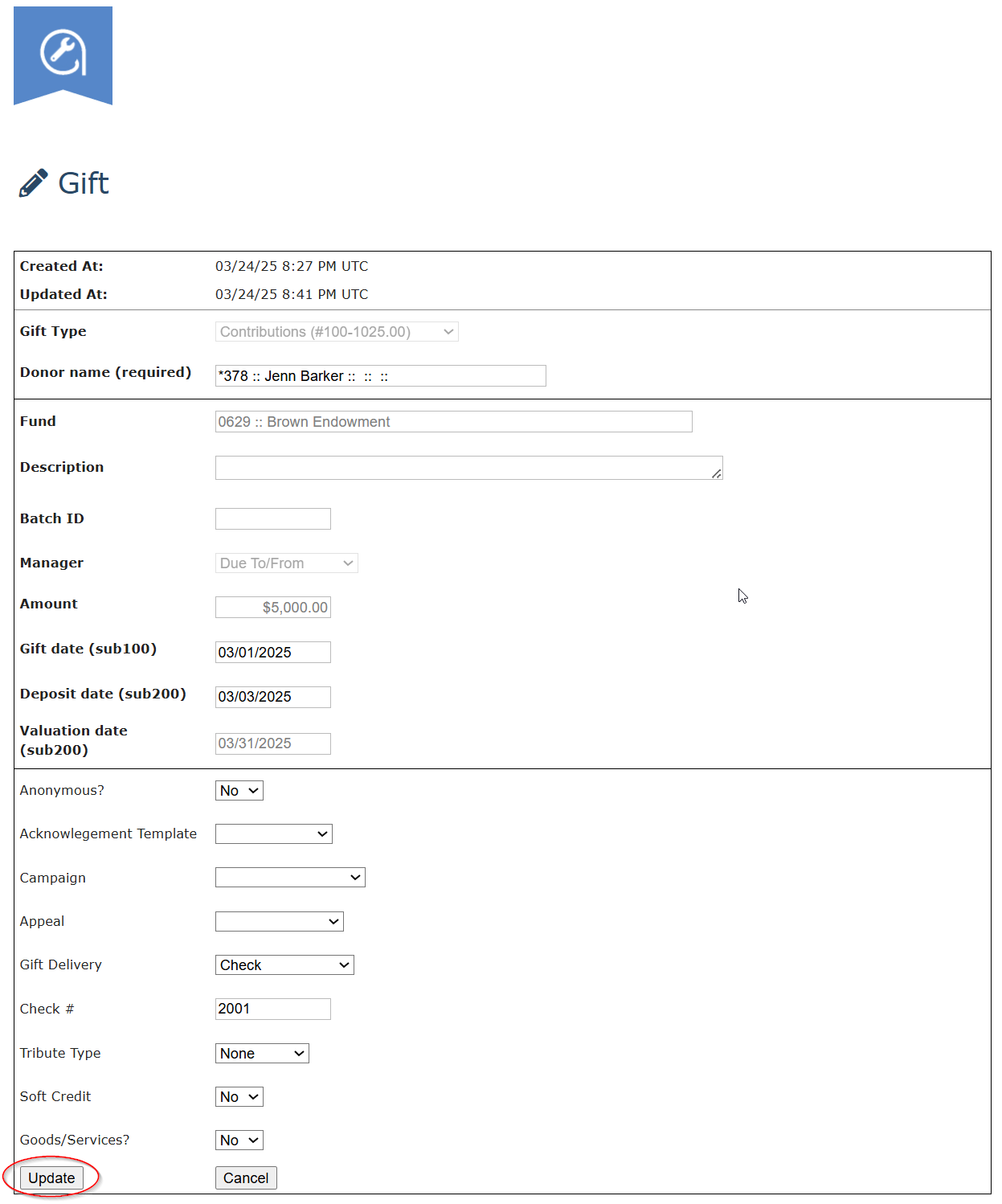
Once a gift has been posted to the subledger, only Superusers can edit certain fields.
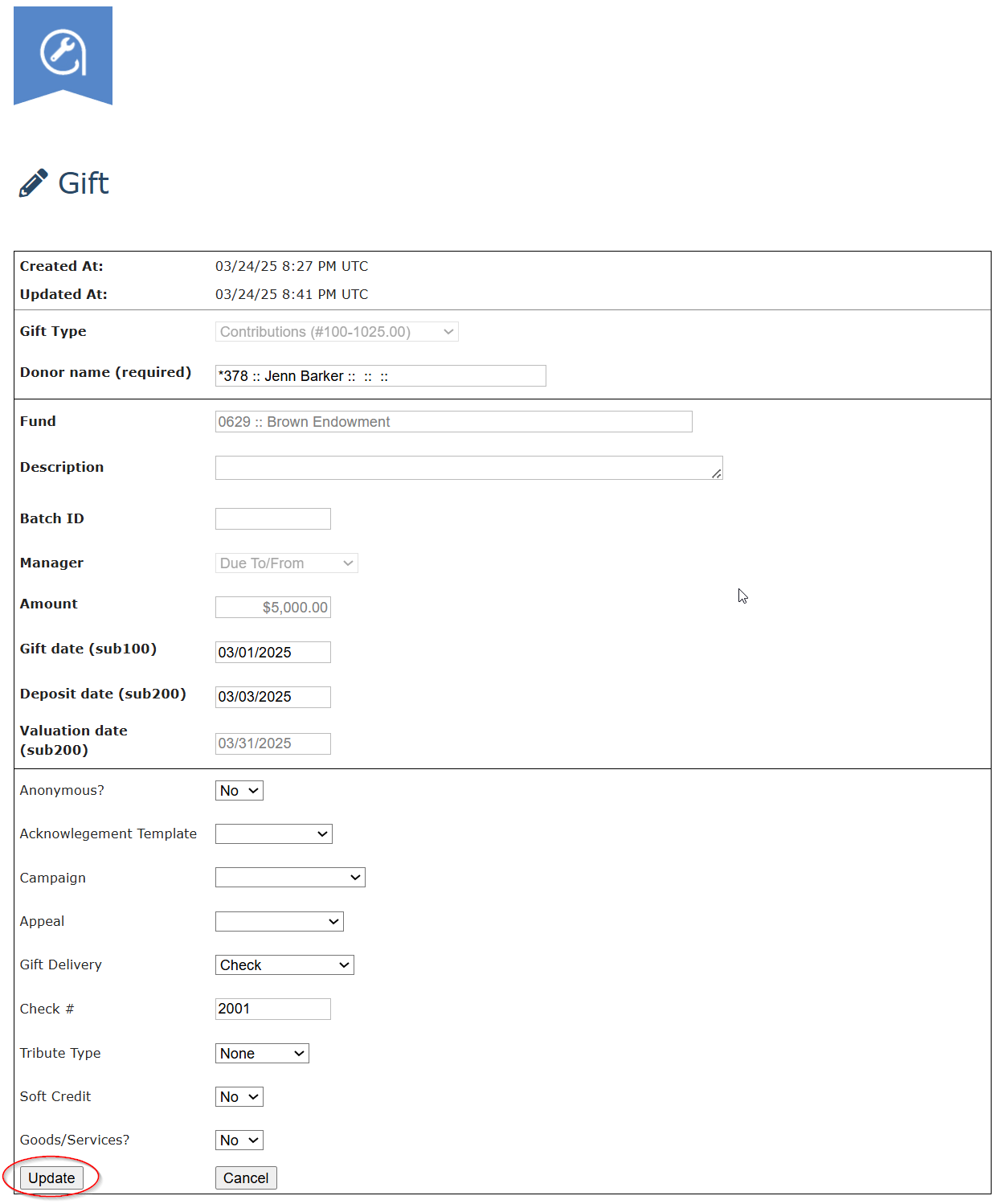
Fields that cannot be edited will be grayed out.
Fields Available for Editing
✅ Description
✅ Batch ID
✅ Gift Date
✅ Deposit Date
✅ Anonymous
✅ Acknowledgment Template
✅ Campaign
✅ Appeal
✅ Gift Delivery (and subfields)
✅ Tribute Type (and subfields)
✅ Soft Credit (and subfields)
✅ Goods/Services (and subfields)
How to Edit a Gift in ADAVICO
From the Contact View
Navigate to the Contact associated with the gift.
Scroll down to the Gift History (gGUI) section.
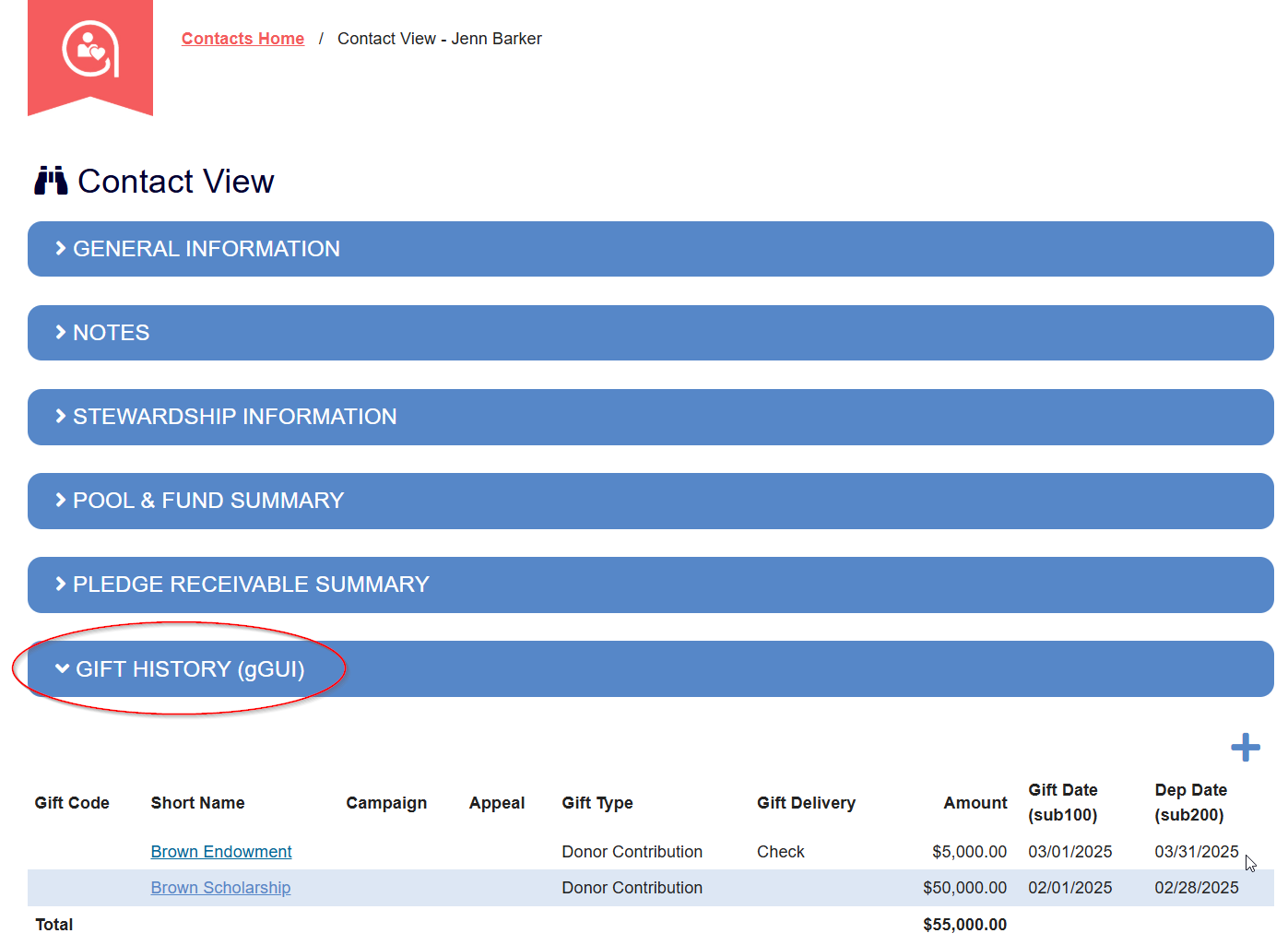
Select the hyperlinked Short Name (fund name) you need to edit.
Make the necessary updates.
Click Update to save changes.
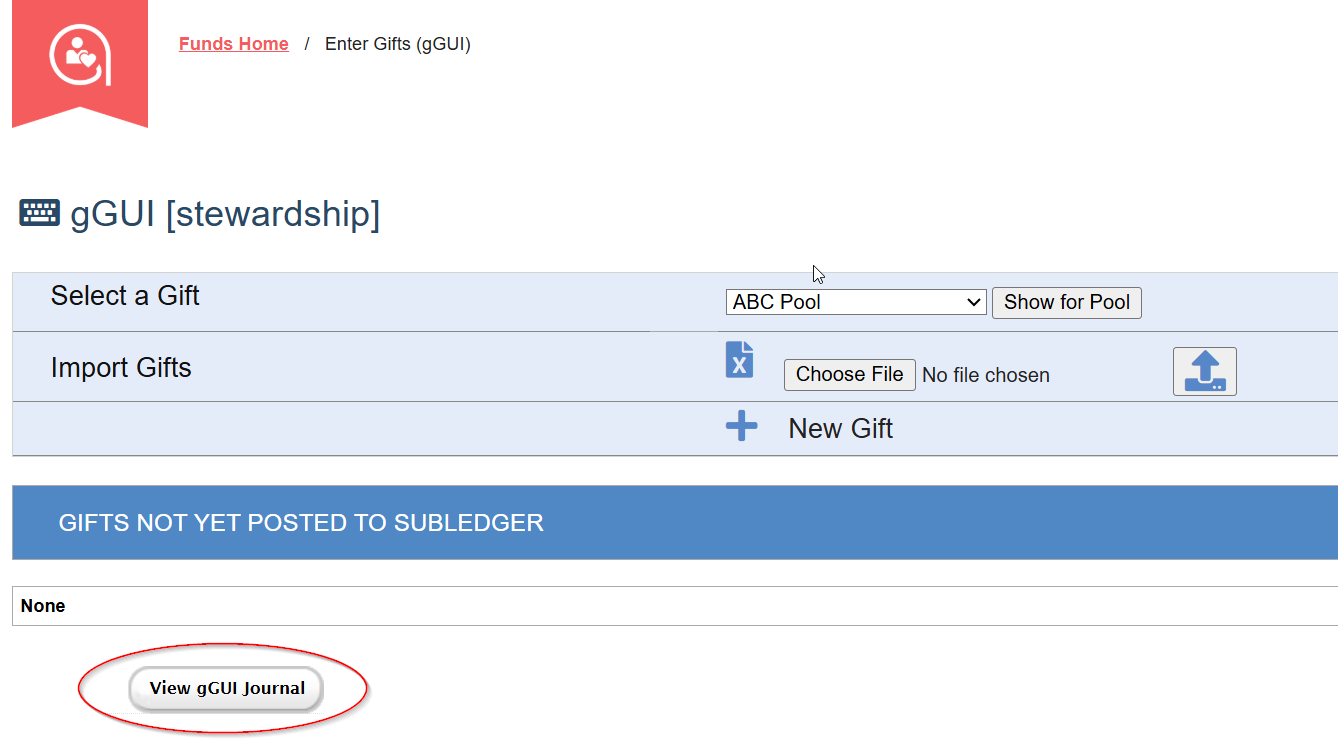
From the View gGUI Journal Screen
Navigate to Funds > Gifts and select View gGUI Journal.
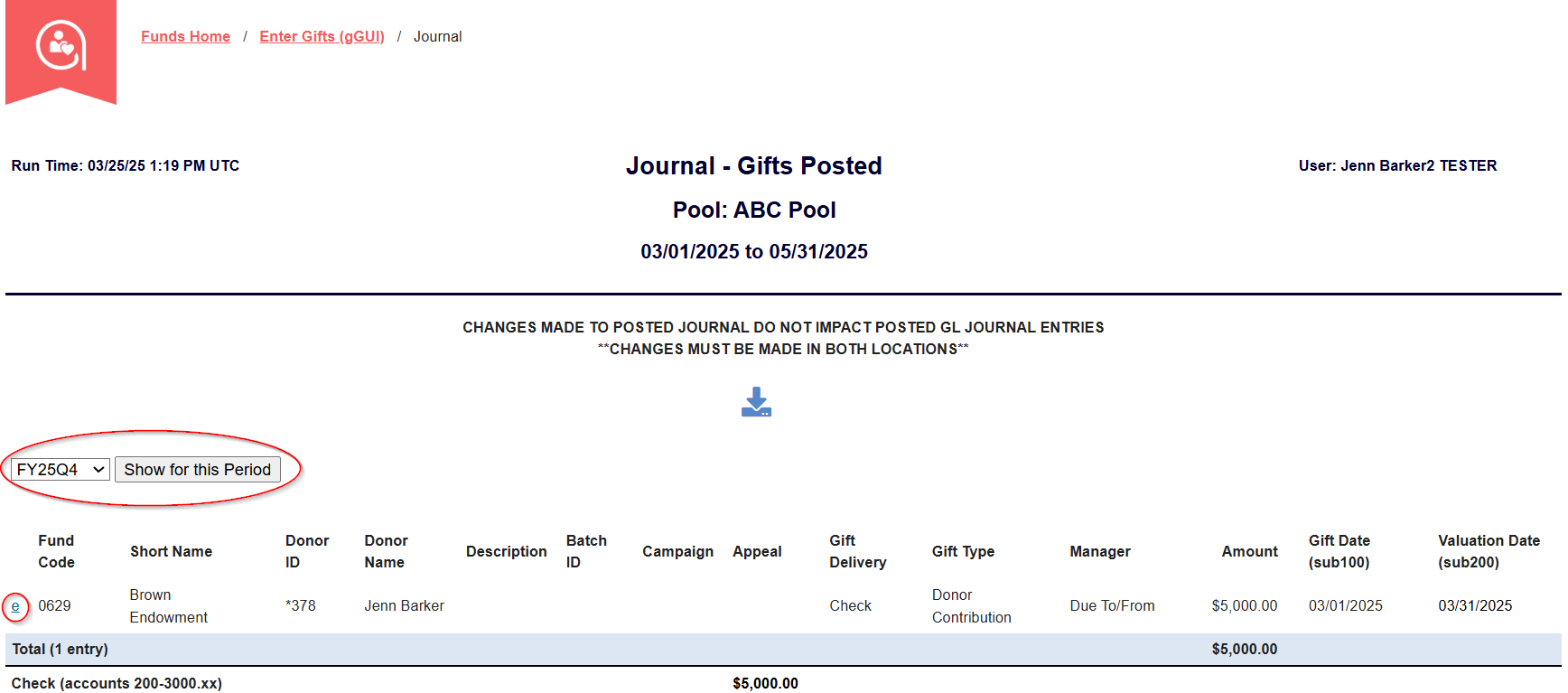
Filter down to the date the gift was posted.
Click the "e" button to edit the gift.
Update the necessary fields.
Click Update to save changes or Cancel to exit without saving.
Requesting Edits for Restricted Fields
If a field is grayed out and cannot be edited, please contact clientsupport@adavico.com. Our team will assist with any necessary updates.
Was this article helpful?
That’s Great!
Thank you for your feedback
Sorry! We couldn't be helpful
Thank you for your feedback
Feedback sent
We appreciate your effort and will try to fix the article